Timeline: easy animations, in the editor and online, synced to the beat
AnimateTimeLine is a list of events on a time rail, played from the inspector, in edit mode as well as in play mode.
- Network time (with Mirror): the timeline follows the clock of the server, so a sequence is at the same point for every player.
- Time as a number of beats: the blocks are placed on the beats of the music instead of seconds.
Easy to play, cross-scene, any function
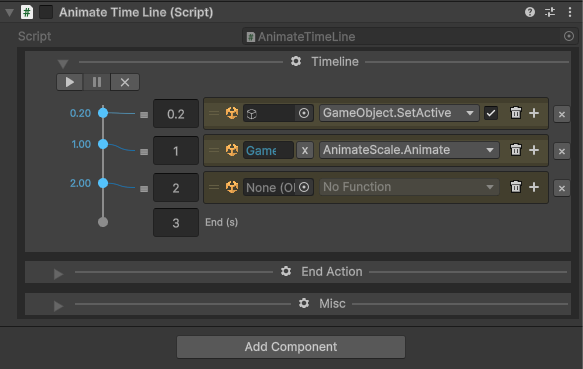

In the editor and at runtime: add the component, press play. The sequence runs on the real objects without entering play mode, and leaves no ghost changes in the scene. It runs on my own clock, the one of Chrono and cooldown timers and Time in the editor.
A simple drag and drop of any object from any scene, and the timeline keeps the reference. Always.
Each block is an Event 2.0, my improvement on UnityEvent, which cannot call a function with several parameters nor serialize complex ones.
A library of animators, each as easy to use
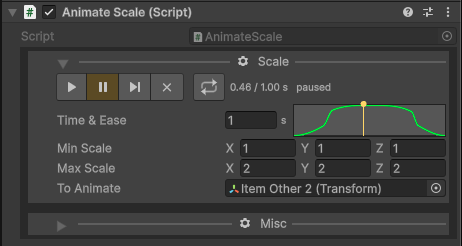
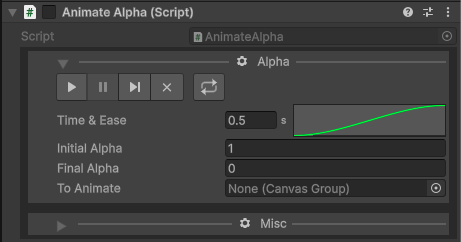
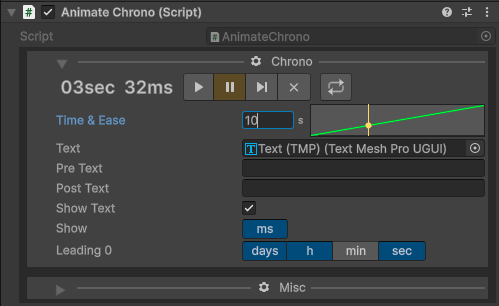
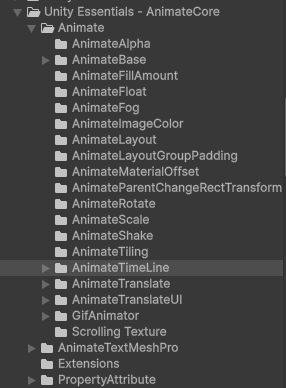
An Animate component does one thing: AnimateScale scales a Transform, AnimateAlpha fades a Canvas Group, AnimateChrono writes a running timer in a text.
They share one small inspector: play, pause, step, reset and loop, a duration and an ease curve. Each can be tried alone, in edit mode too, or played by a block of a timeline.
There is one for each need (alpha, fill, colour, layout, rotate, scale, shake, translate, GIF, TextMeshPro...), and a new one is a few lines on a shared base class.
From code
The inspector is the main way to use it, and everything is also there for gameplay code:
[SerializeField] private AnimateTimeLine _openChest;

_openChest.Animate();               // play from the start
_openChest.Pause();
_openChest.Resume();
_openChest.AnimateFastUntil(1.5f);  // do everything up to 1.5 s at once, then go on from there
_openChest.ResetAnimation();
AnimateTimeLine is part of Unity Essentials, the toolbox shared by all the Kugle Corp games (Kugle, Tankistador, Takume, Nookee). Contact me if you are interested.
See also
- Event 2.0: one-line UnityEvent with cross-scene targets: the event inside each block.
- Chrono and cooldown timers: the timer that drives the timeline.
- Time, timeScale and deltaTime in the editor: the clock that makes edit mode behave like play mode.