Faire une capture d’une EditorWindow et lire la couleur du pixel sous la souris
Voici comment faire une capture d’écran d’une EditorWindow d’une simple touche, pour partager rapidement la Game view ou le Profiler avec votre équipe, par exemple.
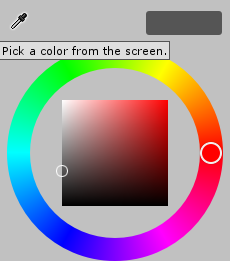
En bonus, vous pouvez recréer la pipette de couleur d’Unity avec les mêmes fonctions, en lisant un seul pixel à la position de la souris.
Avec ces fonctions, vous pouvez :
- faire une capture à partir d’une position
x,y,width,height, - faire une capture d’une EditorWindow donnée,
- récupérer la couleur sous la souris.
Démonstration
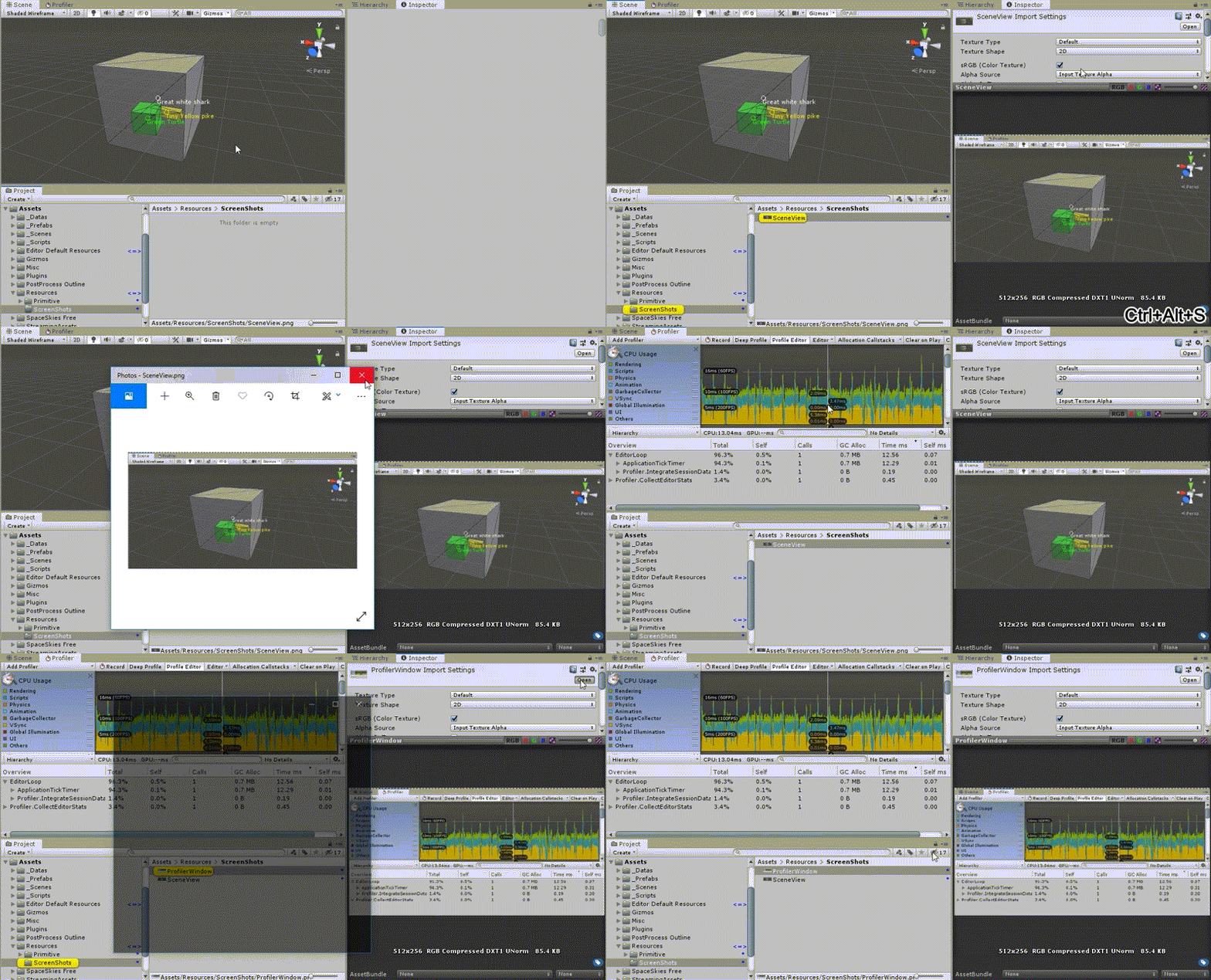
Dans cette démonstration, appuyer sur CTRL + ALT + S après avoir cliqué dans une EditorWindow en fait une capture d’écran.
Utilisation
Vous pouvez faire une capture avec un X, un Y, une largeur et une hauteur donnés, comme dans l’exemple ci-dessous :
Texture screenShot = ExtScreenCapture.TakeScreenCapture(new Rect(0, 0, 100, 100));
screenShot.SaveScreenCapture("ScreenShot");
Ou simplement faire une capture d’une EditorWindow donnée :
SceneView sceneView = EditorWindow.GetWindow<SceneView>();
Texture screenShot = sceneView.TakeEditorWindowCapture();
screenShot.SaveScreenCapture(sceneView.GetType().Name);
Bonus : recréer la pipette de couleur d’Unity
public static class ExtMouse
{
  /// <summary>
  /// Get pixel color under mouse position
  /// Usage: Color color = ExtMouse.GetColorUnderMousePosition();
  /// </summary>
  /// <returns>Pixel color under mouse position</returns>
  public static Color GetColorUnderMousePosition()
  {
    Vector2 realMousePosition = ExtMouse.GetRealMousePosition();
    return (ExtScreenCapture.PickColorAtPosition(realMousePosition));
  }

  public static Vector2 GetRealMousePosition()
  {
    return (GUIUtility.GUIToScreenPoint(Event.current.mousePosition));
  }
}
Scripts
Placez tous ces scripts dans un dossier Editor.
ExtScreenCapture.cs
using hedCommon.extension.runtime;
using System.Collections;
using System.Collections.Generic;
using UnityEditor;
using UnityEngine;

namespace hedCommon.extension.editor.screenCapture
{
    public static class ExtScreenCapture
    {
        private const string DEFAULT_LOCATION_SCREENSHOTS = "Assets/Resources/ScreenShots/";


        public static Color PickColorAtPosition(Vector2 position)
        {
            return (GetPixelsOfScreen(new Rect(position.x, position.y, 1, 1))[0]);
        }

        public static Texture TakeEditorWindowCapture(this EditorWindow editorWindow)
        {
            return (TakeScreenCapture(editorWindow.position));
        }

        public static Texture TakeScreenCapture(Rect rect)
        {
            int width = (int)rect.width;
            int height = (int)rect.height;
            int x = (int)rect.x;
            int y = (int)rect.y;
            Vector2 position = new Vector2(x, y);

            Color[] pixels = ExtScreenCapture.GetPixelsOfScreen(new Rect(position.x, position.y, width, height));

            Texture2D texture = new Texture2D(width, height);
            texture.SetPixels(pixels);
            texture.Apply();

            return texture;
        }

        public static Color[] GetPixelsOfScreen(Rect rect)
        {
            Color[] pixels = UnityEditorInternal.InternalEditorUtility.ReadScreenPixel(new Vector2(rect.x, rect.y), (int)rect.width, (int)rect.height);
            return (pixels);
        }

        public static void SaveScreenCapture(this Texture screenCapture, string nameFile = "ScreenShot", string path = DEFAULT_LOCATION_SCREENSHOTS, bool updateAssetDataBase = true)
        {
            Texture2D screenShot2d = (Texture2D)screenCapture;
            string finalPath = path + nameFile + ".png";
            finalPath = ExtPaths.RenameIncrementalFile(finalPath, out int index, false);
            screenShot2d.SaveToPNG(finalPath);

            if (updateAssetDataBase)
            {
                AssetDatabase.SaveAssets();
                AssetDatabase.Refresh();
                ExtSelection.PingAndSelect(AssetDatabase.LoadAssetAtPath<Object>(finalPath));
            }
        }
    }
}
Télécharger ExtScreenCapture.cs
ScreenCaptureEditorWindow.cs
using hedCommon.eventEditor;
using hedCommon.extension.editor.editorWindow;
using System.Collections;
using System.Collections.Generic;
using UnityEditor;
using UnityEngine;

namespace hedCommon.extension.editor.screenCapture
{
    [InitializeOnLoad]
    public static class ScreenCaptureEditorWindow
    {
        static ScreenCaptureEditorWindow()
        {
            if (EditorApplication.isPlaying)
            {
                return;
            }
            EditorApplication.update += OnCustomUpdate;
        }

        private static void OnCustomUpdate()
        {
            Event lastKeyChange = ExtEventOnUpdate.LastKeyChange;

            if (lastKeyChange != null
                && lastKeyChange.keyCode == KeyCode.S
                && lastKeyChange.control
                && lastKeyChange.alt)
            {
                EditorWindow focusedWindow = ExtEditorWindow.FocusedWindow();
                if (focusedWindow)
                {
                    Texture screenShot = focusedWindow.TakeEditorWindowCapture();
                    screenShot.SaveScreenCapture(focusedWindow.GetType().Name);
                }
            }
        }
    }
}
Télécharger ScreenCaptureEditorWindow.cs
ExtEventOnUpdate.cs
using System.Collections;
using System.Collections.Generic;
using UnityEditor;
using UnityEngine;

namespace hedCommon.eventEditor
{
    public static class ExtEventOnUpdate
    {
        public static Event LastKeyChange;

        [InitializeOnLoadMethod]
        private static void EditorInit()
        {
            System.Reflection.FieldInfo info = typeof(EditorApplication).GetField("globalEventHandler", System.Reflection.BindingFlags.Static | System.Reflection.BindingFlags.NonPublic);

            EditorApplication.CallbackFunction value = (EditorApplication.CallbackFunction)info.GetValue(null);

            value += EditorGlobalKeyPress;

            info.SetValue(null, value);
        }

        private static void EditorGlobalKeyPress()
        {
            LastKeyChange = Event.current;
            //Debug.Log("KEY CHANGE " + LastKeyChange);
        }
    }
}
Télécharger ExtEventOnUpdate.cs
Le code complet et une démo seront bientôt disponibles sur l’Asset Store. Contactez-moi si ça vous intéresse.