Take a screenshot of an EditorWindow and get the pixel color under the mouse
See how to take a screenshot of an EditorWindow with a simple key press, to quickly share the Game view or the Profiler with your teammates, for example.
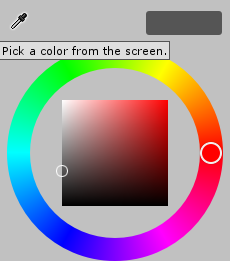
As a bonus, you can recreate Unity's color picker with the same functions, by reading a single pixel at the mouse position.
With these functions you can:
- Take a screenshot from a position
x,y,width,height - Take a screenshot of a given EditorWindow
- Pick the color under the mouse position
Demonstration
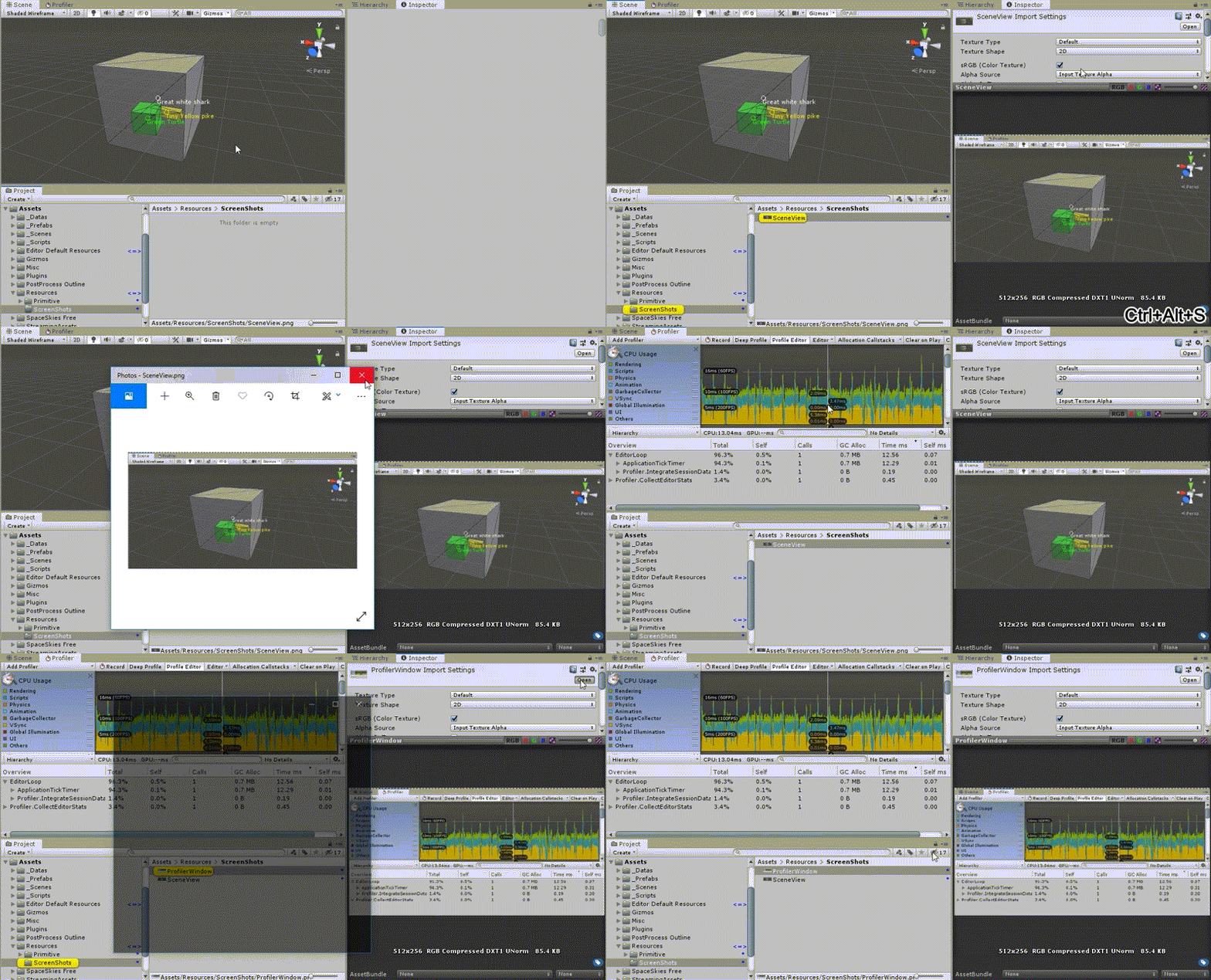
In this demonstration, pressing CTRL + ALT + S after focusing an EditorWindow takes a screen capture of it.
How to use
You can take a screenshot with a given X, Y, width and height, like in the example below:
Texture screenShot = ExtScreenCapture.TakeScreenCapture(new Rect(0, 0, 100, 100));
screenShot.SaveScreenCapture("ScreenShot");
Or you can simply take a screenshot of a given EditorWindow:
SceneView sceneView = EditorWindow.GetWindow<SceneView>();
Texture screenShot = sceneView.TakeEditorWindowCapture();
screenShot.SaveScreenCapture(sceneView.GetType().Name);
Bonus: recreate Unity's color picker
public static class ExtMouse
{
  /// <summary>
  /// Get pixel color under mouse position
  /// Usage: Color color = ExtMouse.GetColorUnderMousePosition();
  /// </summary>
  /// <returns>Pixel color under mouse position</returns>
  public static Color GetColorUnderMousePosition()
  {
    Vector2 realMousePosition = ExtMouse.GetRealMousePosition();
    return (ExtScreenCapture.PickColorAtPosition(realMousePosition));
  }

  public static Vector2 GetRealMousePosition()
  {
    return (GUIUtility.GUIToScreenPoint(Event.current.mousePosition));
  }
}
Scripts
tip
Put all of these scripts inside an Editor folder.
ExtScreenCapture.cs
ExtScreenCapture.cs
using hedCommon.extension.runtime;
using System.Collections;
using System.Collections.Generic;
using UnityEditor;
using UnityEngine;

namespace hedCommon.extension.editor.screenCapture
{
    public static class ExtScreenCapture
    {
        private const string DEFAULT_LOCATION_SCREENSHOTS = "Assets/Resources/ScreenShots/";


        public static Color PickColorAtPosition(Vector2 position)
        {
            return (GetPixelsOfScreen(new Rect(position.x, position.y, 1, 1))[0]);
        }

        public static Texture TakeEditorWindowCapture(this EditorWindow editorWindow)
        {
            return (TakeScreenCapture(editorWindow.position));
        }

        public static Texture TakeScreenCapture(Rect rect)
        {
            int width = (int)rect.width;
            int height = (int)rect.height;
            int x = (int)rect.x;
            int y = (int)rect.y;
            Vector2 position = new Vector2(x, y);

            Color[] pixels = ExtScreenCapture.GetPixelsOfScreen(new Rect(position.x, position.y, width, height));

            Texture2D texture = new Texture2D(width, height);
            texture.SetPixels(pixels);
            texture.Apply();

            return texture;
        }

        public static Color[] GetPixelsOfScreen(Rect rect)
        {
            Color[] pixels = UnityEditorInternal.InternalEditorUtility.ReadScreenPixel(new Vector2(rect.x, rect.y), (int)rect.width, (int)rect.height);
            return (pixels);
        }

        public static void SaveScreenCapture(this Texture screenCapture, string nameFile = "ScreenShot", string path = DEFAULT_LOCATION_SCREENSHOTS, bool updateAssetDataBase = true)
        {
            Texture2D screenShot2d = (Texture2D)screenCapture;
            string finalPath = path + nameFile + ".png";
            finalPath = ExtPaths.RenameIncrementalFile(finalPath, out int index, false);
            screenShot2d.SaveToPNG(finalPath);

            if (updateAssetDataBase)
            {
                AssetDatabase.SaveAssets();
                AssetDatabase.Refresh();
                ExtSelection.PingAndSelect(AssetDatabase.LoadAssetAtPath<Object>(finalPath));
            }
        }
    }
}
ScreenCaptureEditorWindow.cs
ScreenCaptureEditorWindow.cs
using hedCommon.eventEditor;
using hedCommon.extension.editor.editorWindow;
using System.Collections;
using System.Collections.Generic;
using UnityEditor;
using UnityEngine;

namespace hedCommon.extension.editor.screenCapture
{
    [InitializeOnLoad]
    public static class ScreenCaptureEditorWindow
    {
        static ScreenCaptureEditorWindow()
        {
            if (EditorApplication.isPlaying)
            {
                return;
            }
            EditorApplication.update += OnCustomUpdate;
        }

        private static void OnCustomUpdate()
        {
            Event lastKeyChange = ExtEventOnUpdate.LastKeyChange;

            if (lastKeyChange != null
                && lastKeyChange.keyCode == KeyCode.S
                && lastKeyChange.control
                && lastKeyChange.alt)
            {
                EditorWindow focusedWindow = ExtEditorWindow.FocusedWindow();
                if (focusedWindow)
                {
                    Texture screenShot = focusedWindow.TakeEditorWindowCapture();
                    screenShot.SaveScreenCapture(focusedWindow.GetType().Name);
                }
            }
        }
    }
}
Download ScreenCaptureEditorWindow.cs
ExtEventOnUpdate.cs
ExtEventOnUpdate.cs
using System.Collections;
using System.Collections.Generic;
using UnityEditor;
using UnityEngine;

namespace hedCommon.eventEditor
{
    public static class ExtEventOnUpdate
    {
        public static Event LastKeyChange;

        [InitializeOnLoadMethod]
        private static void EditorInit()
        {
            System.Reflection.FieldInfo info = typeof(EditorApplication).GetField("globalEventHandler", System.Reflection.BindingFlags.Static | System.Reflection.BindingFlags.NonPublic);

            EditorApplication.CallbackFunction value = (EditorApplication.CallbackFunction)info.GetValue(null);

            value += EditorGlobalKeyPress;

            info.SetValue(null, value);
        }

        private static void EditorGlobalKeyPress()
        {
            LastKeyChange = Event.current;
            //Debug.Log("KEY CHANGE " + LastKeyChange);
        }
    }
}
info
The full code and a demo will be available soon on the Asset Store. Contact me if you are interested.