EditorOnly components and actions when building

Sometimes you want some components to be present on your GameObject, but you want to remove them once you are in play mode. The script I present here deletes every component you don't want in the build.
It also provides a list of UnityEvent actions that are fired when you enter play mode, or when you build your game.
EditorOnly GameObjects
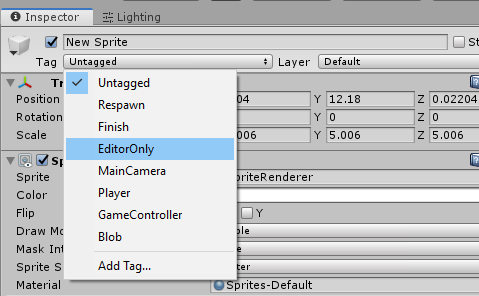
Currently, if you want a GameObject to be EditorOnly, Unity provides a tag specifically for that purpose: GameObjects tagged with EditorOnly are removed when building the game.
Unfortunately, there is no way to specify it per component. So I made two scripts to overcome this problem.
How to use
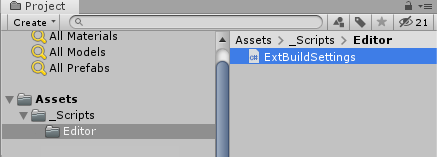
First, put ExtBuildSettings.cs inside any Editor/ folder in your project. The two other scripts provided must be outside of the Editor folder: put them in your usual scripts folder.
Secondly, put as many EditorOnlyCleaning.cs scripts as you want in your hierarchy. See the example below:
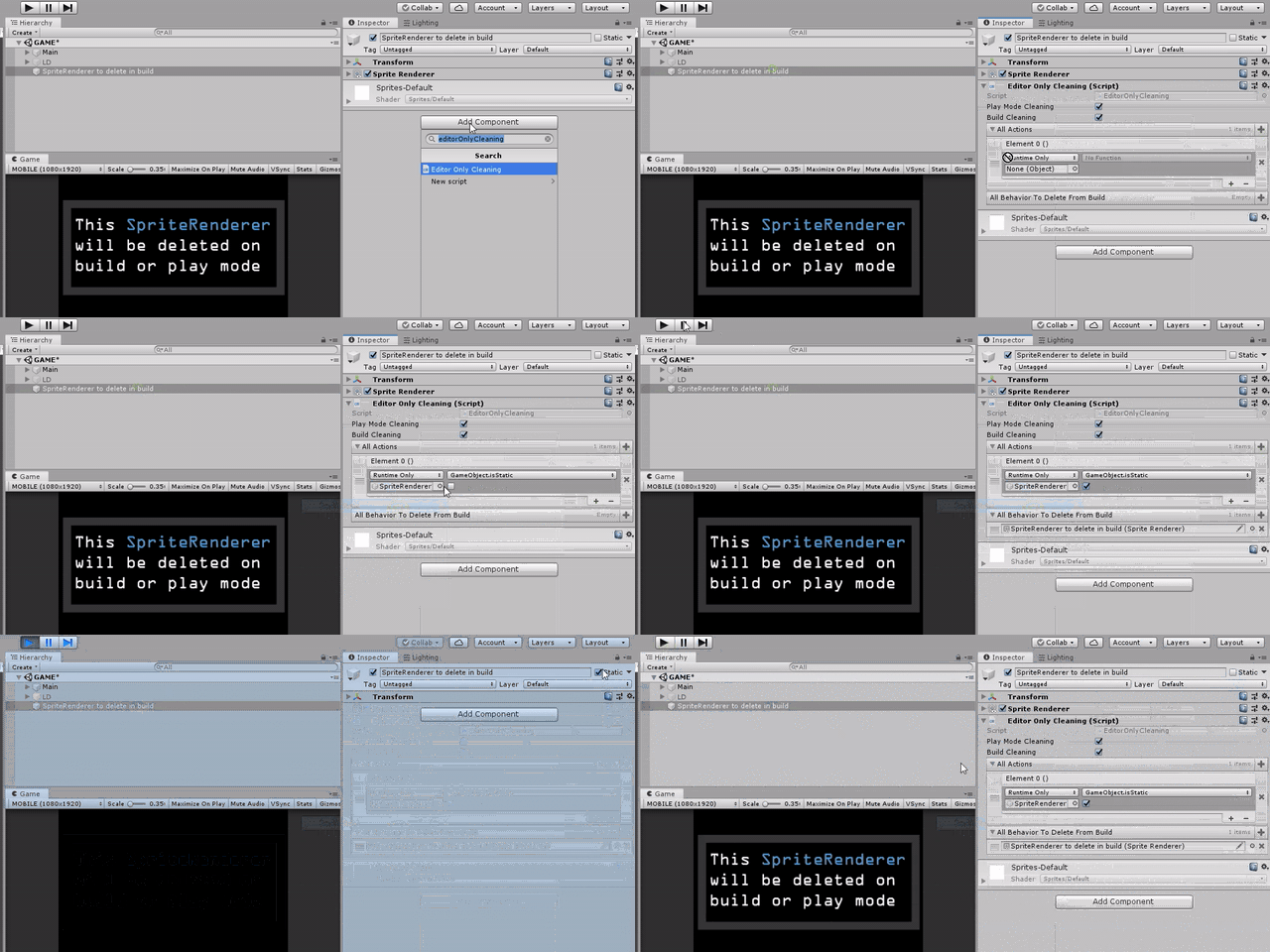
Steps:
- Add an
EditorOnlyCleaning.csscript to a GameObject. - Add as many built-in
UnityEvents as you want to the AllAction list. These actions will be fired in order. - Add all the components you want to destroy in play mode or in the build.
When you enter play mode, or when you build your application, every EditorOnlyCleaning.cs script will:
- Execute all its
UnityEventactions in the given order - Remove every component present in its list
- Remove itself
Don't overuse them: these scripts can add confusion between the editor, play mode and the build. My recommendation is to have only one EditorOnlyCleaning.cs script per scene. Otherwise, use it with caution, name your GameObjects well and keep your hierarchy organized.
If you have entire GameObjects marked as EditorOnly, you may want to hide them from the game camera, or from the scene view. See my article about it: Hide GameObjects from the game camera or the scene view.
Scripts
EditorOnlyCleaning.cs
/// <summary>
/// MIT License - Copyright(c) 2019 Ugo Belfiore
/// </summary>

using System.Collections.Generic;
using UnityEngine;
using UnityEngine.Events;

/// <summary>
/// Remove Components marked as EditorOnly, and execute actions when you building your game
/// ExecuteBuildCleaning is called thanks to BuildCallBack().
/// This function will also get called when entering Playmode, when SceneManager.LoadScene is called.
/// if you want to desactivate this behavior, set PlayModeCleaning to false
/// </summary>
public class EditorOnlyCleaning : MonoBehaviour
{
    public bool PlayModeCleaning = true;    //active the cleaning when entering in play mode
    public bool BuildCleaning = true;       //active the cleaning when building

    //all action you want to do
    public List<UnityEvent> AllActions = new List<UnityEvent>();
    //all Component you want to delete
    public List<Component> AllBehaviorToDeleteFromBuild = new List<Component>();

    /// <summary>
    /// - Call all action
    /// - Delete all behavior
    /// - Delete itself
    /// </summary>
    public void ExecuteBuildCleaning()
    {
        if (!BuildCleaning || (Application.isPlaying && !PlayModeCleaning))
        {
            return;
        }
        ExecuteUnityEventAction();
        RemoveAllComponents();
        RemoveItself();
    }

    /// <summary>
    /// execute all UnityEvent action
    /// We theoricly could have only one UnityEvent with multiple action,
    /// but then we can't prediect the order of actions.
    /// Here with a list of UnityEvent, we manage the order ourself.
    /// </summary>
    private void ExecuteUnityEventAction()
    {
        for (int i = 0; i < AllActions.Count; i++)
        {
            AllActions[i].Invoke();
        }
    }

    /// <summary>
    /// Delete every components in the list
    /// </summary>
    private void RemoveAllComponents()
    {
        for (int i = 0; i < AllBehaviorToDeleteFromBuild.Count; i++)
        {
            if (AllBehaviorToDeleteFromBuild[i] == null)
            {
                continue;
            }

            if (Application.isPlaying)
            {
                Destroy(AllBehaviorToDeleteFromBuild[i]);
            }
            else
            {
                DestroyImmediate(AllBehaviorToDeleteFromBuild[i]);
            }
        }
    }

    /// <summary>
    /// Remove the script component this
    /// </summary>
    private void RemoveItself()
    {
        if (Application.isPlaying)
        {
            Destroy(this);
        }
        else
        {
            DestroyImmediate(this);
        }
    }
}
ExtBuildSettings.cs
/// <summary>
/// MIT License - Copyright(c) 2019 Ugo Belfiore
/// </summary>

using UnityEditor.Callbacks;

/// <summary>
/// useful functions linked to the building process
/// <summary>
public static class ExtBuildSettings
{
    [PostProcessScene(0)]
    private static void BuildCallBack()
    {
        EditorOnlyCleaning[] editorOnlyCleanings = ExtUtilityFunction.GetScripts<EditorOnlyCleaning>();
        for (int i = 0; i < editorOnlyCleanings.Length; i++)
        {
            editorOnlyCleanings[i].ExecuteBuildCleaning();
        }
    }
}
ExtUtilityFunction.cs
/// <summary>
/// MIT License - Copyright(c) 2019 Ugo Belfiore
/// </summary>

/// <summary>
/// Useful runtime functions
/// <summary>
public static class ExtUtilityFunction
{
    /// <summary>
    /// Get a script. Use it only in editor, it's extremly expensive in performance
    /// use: MyScript myScript = ExtUtilityFunction.GetScript<MyScript>();
    /// </summary>
    /// <typeparam name="T">type of script</typeparam>
    /// <returns>return the script found, or null if nothing found</returns>
    public static T GetScript<T>()
    {
        object obj = UnityEngine.Object.FindObjectOfType(typeof(T));

        if (obj != null)
        {
            return ((T)obj);
        }
        return (default(T));
    }

    /// <summary>
    /// Get a list of scripts. Use it only in editor, it's extremly expensive in performance
    /// use: MyScript [] myScript = ExtUtilityFunction.GetScripts<MyScript>();
    /// </summary>
    /// <typeparam name="T">type of script</typeparam>
    /// <returns>return the array of script found</returns>
    public static T[] GetScripts<T>()
    {
        object[] obj = UnityEngine.Object.FindObjectsOfType(typeof(T));
        T[] objType = new T[obj.Length];


        if (obj != null)
        {
            for (int i = 0; i < obj.Length; i++)
            {
                objType[i] = (T)obj[i];
            }
        }

        return (objType);
    }
}
How it works
When you build your game, the function BuildCallBack(); of the script ExtBuildSettings.cs is fired, thanks to the [PostProcessScene(0)] attribute.
This function finds every EditorOnlyCleaning.cs script in every scene, and executes their kamikaze actions.
Source files
See also
- Hide GameObjects from the game camera or the scene view: Hide GameObjects from the game camera, or from the scene view, without deactivating them.